
How to Kill Rufus
now that Amazon has gone full Cluster B

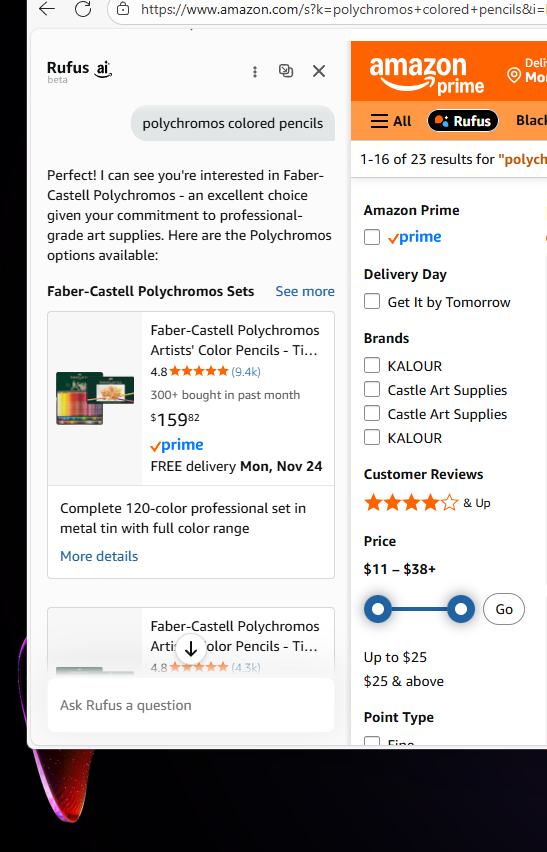
Just in time for their Black Friday deals, Amazon has rolled out the most annoying, aggressively anti-customer thing I’ve ever seen. If you aren’t seeing it today, you will soon.
Every search results in Rufus, their AI, opening a chat window with you that’s part of the browser window, so your pop-up blocker is no help. You cannot turn Rufus off from within Amazon. If you beg it to stop, it’ll tell you that your browser settings are wrong.
If you check those and try again, it’ll tell you that only Customer Service can help you.
If you contact Customer Service, as I did, they will suggest that you stop shopping on the website and only shop on your phone.
Really think about that.
has said for years on his show that our culture has gone fully Cluster B — that inversion of responsibility, that demand that you validate the aggressor’s behavior, that guilt-tripping you when you don’t like being treated badly. This is exactly that dynamic: “We just violated your boundaries, but if you don’t enjoy it, clearly the problem is you.”And in true Cluster B fashion, they’re not even doing themselves any favors. On the very day they launch their Black Friday deals, they unleash an aggressively annoying interruption to the shopping experience that you cannot disable.
And when I objected, they told me the issue was my fault — my settings, my browser, my choice to shop on a computer instead of on the app.
It’s reversal of the finest order.
Here’s how I killed it. I cannot promise this will work for you — devices, settings, and software already installed are all different. But it might help a lot of you, and that’s why I’m posting it.
Step 0: Things People Claim Will Fix It (But Absolutely Don’t)
Clearing cache
Logging out
Using a private window
Asking customer support to “remove me from Rufus”
Sacrificing a goat under a waning moon
None of these do anything. Rufus lives.
He persists.
He thrives.
The Actual Fix (Firefox Edition): The Two-Step Killing Blow
It took two things to finally muzzle him:
1. Install uBlock Origin and block Rufus’s brain
Yes, you need uBlock Origin. Amazon hard-codes Rufus into their front end using injected scripts, and Firefox won’t stop them. Here’s where to get it for Firefox.
Open uBlock Origin → Dashboard → My Filters → paste this (edited to handle more of the ways they sneak it in):
This version will cause a very slight change to the left side of the page. This is because Amazon has made it literally impossible to not have Rufus’s box pop up for some users. Instead, it shrinks the box to a width of 0 pixels. This is the best we can do for now.
www.amazon.com##.copilot-modal-container
www.amazon.com##div[data-copilot-name]
||amazon.com/*copilot*^$script
||images-na.ssl-images-amazon.com/images/*copilot*^$script
||m.media-amazon.com/images/*copilot*^$script
www.amazon.com##aside[data-copilot-chat-root]
www.amazon.com##div.copilot-chat-root
www.amazon.com##.left-nav-container
www.amazon.com##div[style*=”left: 0px”][style*=”position”]
www.amazon.com##.rufus-asin-faceout-header-left
www.amazon.com##[class^=”rufus-”]
www.amazon.com##div.rufus-chat-container
www.amazon.com##body.rufus-docked-left:style(padding-left:0 !important; margin-left:0 !important;)
Click “Apply changes.”
This prevents Rufus’s little AI brain from initializing.
2. Use a Rufus-Free Amazon Homepage
Rufus doesn’t appear on all versions of Amazon’s site — just the “AI-enabled” experimental URLs.
This one is safe, but you should install uBlock anyway. Amazon’s aggressively anti-customer behavior is not going to stop and it won’t be long until Rufus is here, too.
https://www.amazon.com/?ref_=nav_logo
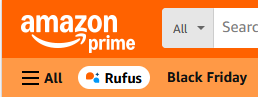
And going forward, be extremely careful not to click or tap on “Rufus” in the navigation bar — doing that will re-enable all the flags and site data Amazon uses to force it back on.
I haven’t tried this in Chrome, but theoretically the same two steps should work.
Before Anyone Starts Lecturing Me
No, nobody has to use Amazon.
But here’s the reality: I have significant balance issues from repeated head trauma. I’m finally improving — because I’m working really hard at it — and one of the tools that’s helping is a simple wooden balance board.
Mine is an Amazon Basics model. Why? Because it was eighteen dollars.
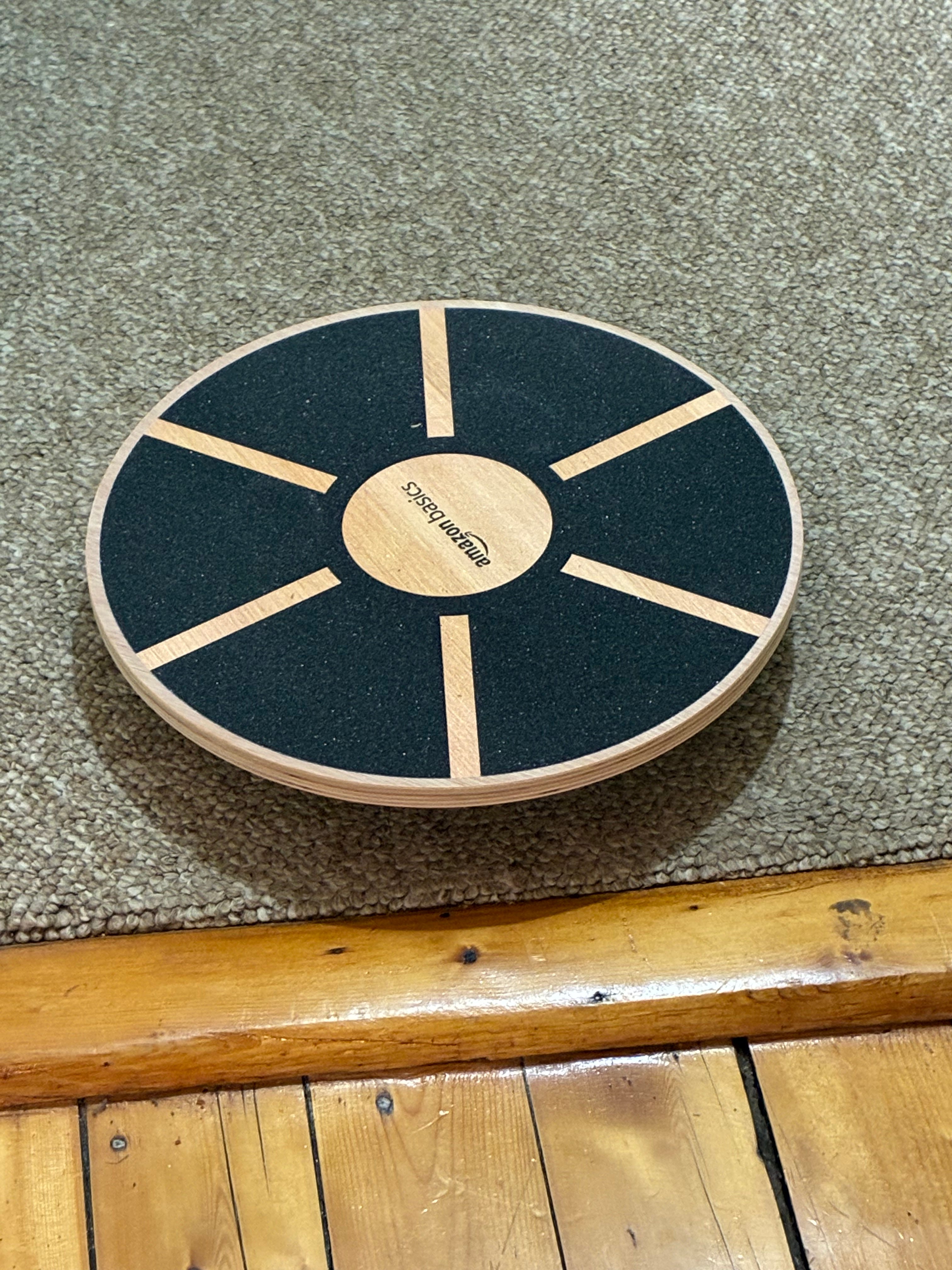
The “real” ones — the ones marketed as fitness gear instead of “generic plank on a cylinder” — run close to two hundred.
If I had no debt, would I pay ten times more just to avoid Amazon?
I’d at least think about it. But I can’t pretend the answer would be yes. I’m not debt-free. I’m not wealthy.
And neither are most Americans.
That’s part of the insidiousness — the evil, honestly — of how Amazon situates itself in the world: it creates conditions in which your comfort, safety, accessibility, and basic functionality are tied to their cheapest version of whatever you need.
So no, cold-turkey “no contact” from Amazon isn’t feasible for a lot of us. I live in a rural area, in a place where half the year is spent skating over ice-covered hills, and having certain things delivered directly to my door isn’t a luxury — it actively reduces my risk of injury.
While I do shop locally whenever possible — and actively work on changing that ratio to more and more favor shopping locally — sometimes Amazon is the difference between functioning and not.
I will absolutely be looking for more alternatives now.
But I wrote this guide because a lot of people are in the same boat. And they deserve to shop for cat treats or space heaters or balance boards without being aggressively intruded upon by an AI assistant, against their will and without their consent.
And yes, this is going to get a lot worse before it gets better.